For Epic Cheers go-live support, please contact NYP IS at
nypres.service-now.com/nyp-portal
or 212-746-4357

How do I request access to a department file share
To request access to a file share, authorized users can simply log onto myHelpdesk.med.cornell.edu, and click “Submit a Request.” Your request goes straight to the appropriate ITS group for fulfillment.
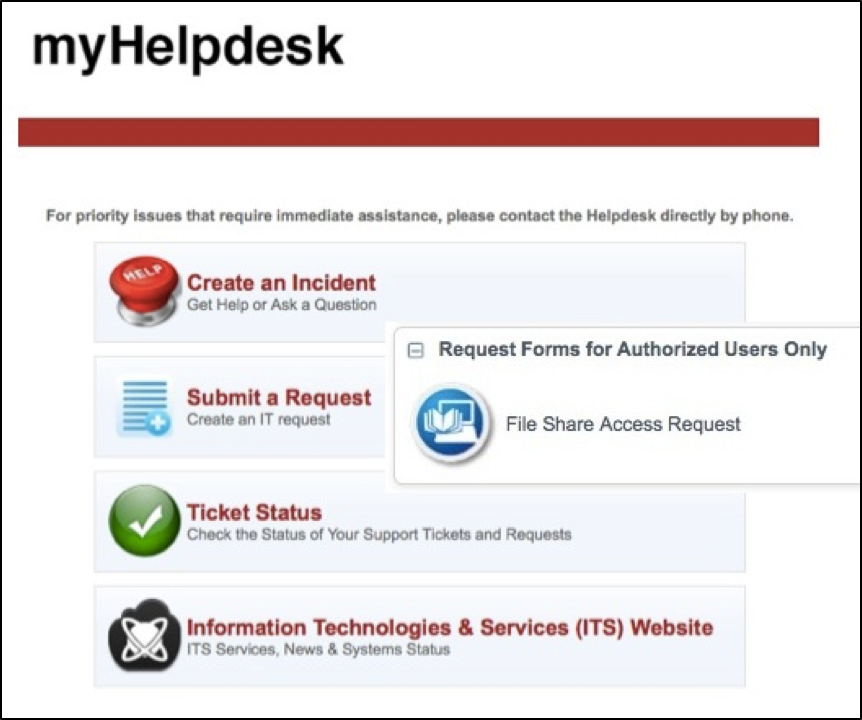
*Please note: Only owners and administrators of a file share are authorized to submit a Request through myHelpdesk. If you need access to a file share, get in touch with your Department Administrator to verify who can submit a Request on your behalf.
How do we learn how to fill out a File Share Access Request?
If you need additional support please contact ITS Training at its-training@med.cornell.edu.

