


Starting Wednesday, Aug. 26, Zoom will implement updates that will change the look of your online account at weillcornell.zoom.us. While functionality will not be affected, your navigation, including your settings and where you create meetings, will move from their original locations.
Here’s what you can expect to see in your online Zoom account:
The new Zoom interface
On Aug. 26, your interface will change to a more streamlined look:
Current look
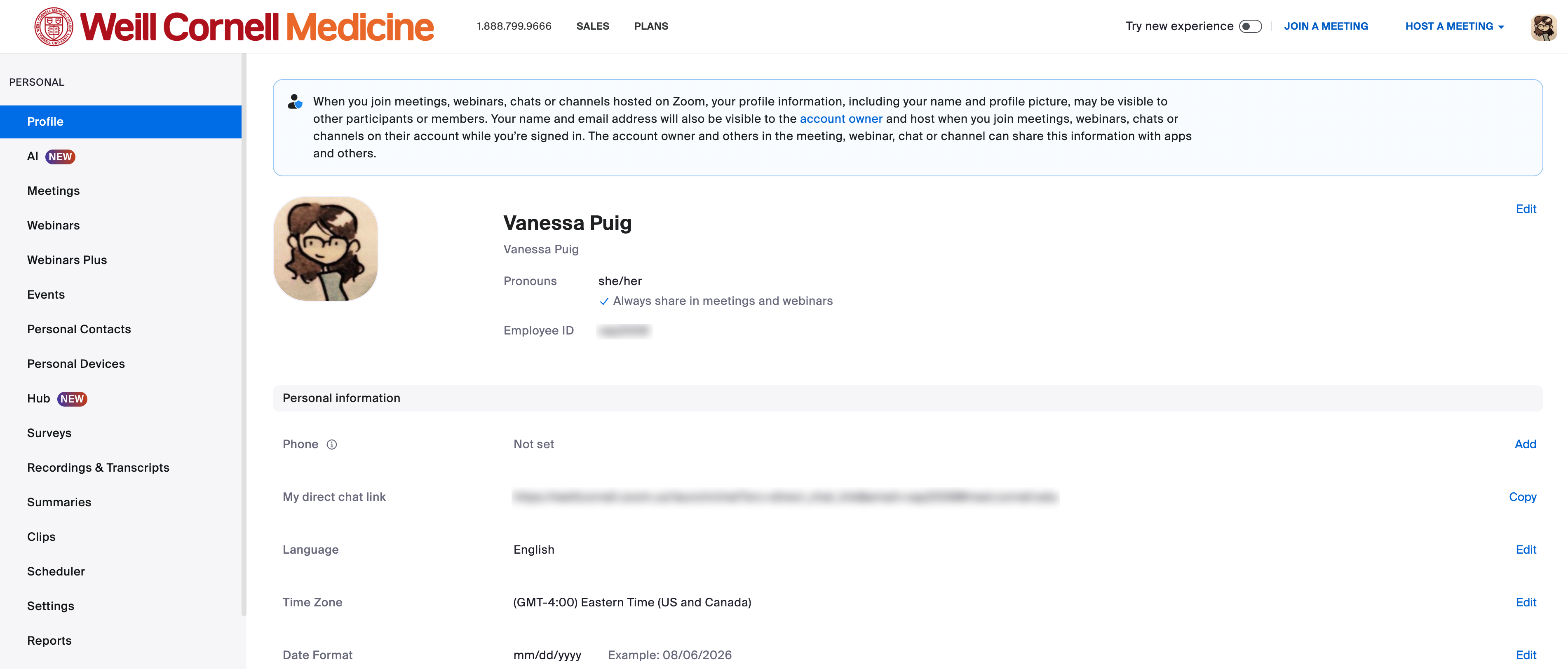
New look

The left sidebar menu’s options will be reduced to personal account settings, reports, and where you can find meeting recordings and summaries whenever you activate the Zoom AI Companion as a host.
The new waffle menu in the upper-right corner now includes all the tools you need to create and manage meetings. Note this menu may look different in your account depending on which features you have access to in Zoom:

Update in your waffle menu
In your new waffle menu, you’ll notice an upgrade to your Zoom license that allows you to host webinars of up to 500 participants without manually requesting one from ITS. Click the Webinars button to set up your next webinar:

What about the Zoom desktop application?
These changes only affect your online account at weillcornell.zoom.us, not the Zoom desktop app. While you can create and attend meetings directly from your desktop app, features such as transcripts, reports, and some settings, are only available in your online account.
More details about Zoom are available on Zoom’s official support site. If you have questions about using Zoom or experience any issues after the update, please contact the Service Desk.