

March 31, 2026
On Friday, April 3, the process for accessing Cisco Secure Client VPN services will change for call center staff. Staff will be asked to sign into the WCM Web Login page with their CWID and password in order to access VPN services.
How is VPN access changing?
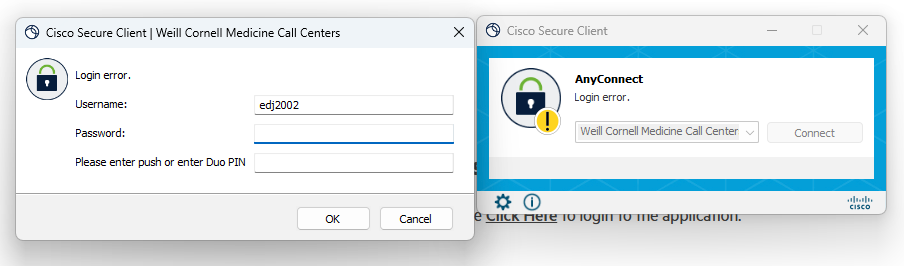
Previously, users entered CWID, password, and a Duo push or PIN into a Cisco Secure Client window. As of April 3, after you open Cisco Secure Client and click Connect, you will be redirected to a WCM Web Login page to enter your CWID and password and approve a Duo push. After that, VPN will connect automatically.
Current login
New login

New VPN Login steps
1. Open Cisco Secure VPN and click Connect.
2. Browser opens WCM Web Login page
3. Enter CWID and password.
4. Approve Duo push.
5. VPN connects