EpicTogether logo

Extended Support During Epic Go-Live

In support of the EpicTogether East Campus go-live, ITS expanded support Saturday, October 3rd through Thursday, October 8th.

Library SMARTDesk hours have been extended. If you need hands-on assistance with your WCM device, the SMARTDesk will be available 6AM to 10PM, Monday through Thursday. The SMARTDesk will return to a regular 9-5 schedule on Friday, October 9th. ...

Read More
Microsoft 365

WCM is upgrading all users to Microsoft 365 versions of Office apps

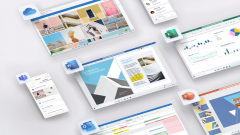
This fall, ITS will be upgrading all users at WCM to the Microsoft 365 versions of Microsoft Office applications on or before October 13th. You have the opportunity to download and install the Microsoft 365 application package now. If you don’t install it yourself, the package will be pushed automatically to your computer on or before October 13th.

 Why are we updating Office applications to O365 at WCM?

Microsoft has accelerated its release schedule for Office to provide more...

Read More
woman using smartphone

Self-register your smartphone with MobileIron to access WCM email, Wi-Fi, and apps

Got a new smartphone? You no longer need an in-person appointment to “tag” your phone in order to access your WCM email account, campus Wi-Fi, or WCM apps. To make things easier and faster for our users, ITS has made the entire smartphone registration process self-service – but you can always still get help at our SMARTDesk if you need it. 

What is MobileIron?

MobileIron is a mobile device management system that helps provide mobile access to WCM resources,...

Read More