For Epic Cheers go-live support, please contact NYP IS at nypres.service-now.com/nyp-portal or 212-746-4357

How do I request an application to be published on Remote Apps?

Please send an email to RemoteAppsSupport@med.cornell.edu so that ITS can consult with you and understand your requirements. 


How do I request access to an application on Remote Apps?

Anyone with access to a fund number in ServiceNow can request access on myHelpdesk by submitting Remote Apps request form. If you are not authorized to use the department fund number, please reach out to the Department Administrator to get the access.

Place a request on and specify which app you need access to:

  • DataCore
  • Cadwell Sleep
  • IntelliCred
  • IVF for Windows
  • Tax Navigator
  • truData 


What do I need to access Remote Apps?

Mac users need to install Microsoft Remote Desktop from the WCM App Store before accessing Remote Apps. Windows users need to use the Microsoft Remote Desktop app that is already installed on their computers.

Do I need to be on VPN to access Remote Apps?

No, Remote Apps is accessible from any Windows or Mac device anywhere with a browser and an internet connection.


How do I access the Remote Apps portal?

  1. In a browser of your choice, type in URL https://remoteapps.weill.cornell.edu
  2. On the portal splash screen, type in your CWID and password to display your applications


July 10, 2023

Apple has recently announced that its newest operating system will be called Sonoma, and is due for release to the general public later this Fall, likely around the end of October.

When Sonoma is released, a few things will happen:

July 7, 2023

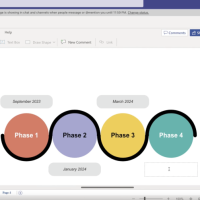
In a recent update, Visio is now included in your Microsoft Office 365 account and Teams! With Visio for the Web, you can create professional diagrams — like flow charts, timelines, and more — at no additional charge. 

Should I use the O365 or desktop version of Microsoft Visio?

Use Visio for O365 if you:

  • Want to create a simple diagram (Mind Mapping, Process Flow, Organization Chart)
  • Want to easily save and share my diagrams with my team(s)
  • Don’t need the various specific icon set (Basic Shape Objects are good enough)


Request/keep the paid desktop version of Visio if you:

  • Need the full library of objects, icons, and graphics.
  • Need to work offline.
  • Need to connect Visio to a data source (Excel, SharePoint Lists, SQL)

For a complete comparison, please see KB0017334.

For a detailed description on how to access Visio for Teams, please see KB0017339.


June 30, 2023

Apple has released security patches for three recently-discovered critical vulnerabilities. ITS will deploy these security updates to your tagged Apple computer today. You will see a Software Update pop-up notifying you that the computer needs to be restarted for the update to install. Be sure to save your work before you restart.

You must restart your Apple computer by Wednesday, July 5th at 7 pm for these updates to take effect.

June 13, 2023

When you meet someone virtually, it's nice to put a face to a name, which you can do using our Directory! Log into your Directory account to update your photo and preferred name on different apps, like your Microsoft Office 365 suite and VIVO.