Who is eligible for the Consent to be Contacted for Research protocol?
Any patient with a visit at NYP-WCM (including East and Lower Manhattan campuses) and/or NYP-Columbia is eligible for the CCR protocol.
How do patients consent to be contacted for research?
During Epic MyChart (also known as Connect) eCheck-In, patients are given the opportunity to indicate their preference (Yes, No, or Undecided) and sign a consent form to participate in CCR. Patient preferences are then stored in a secure database.
October 5, 2021
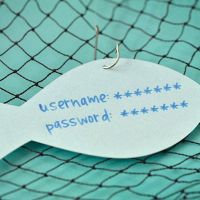
As you may already know, every so often, ITS throws a phishing test into the wild to see what happens. Sometimes, the WCM community is quick to identify a phishing attempt and doesn’t click on any links that look suspicious. Other times… well…
October 5, 2021
October is National Cybersecurity Awareness Month, an annual collaborative effort between government and industry to ensure we have the resources you need to maintain your security online. Throughout October, we’ll be sending you tips on protecting your information and avoiding malicious attempts to extract your personal data. See all of our 2021 tips here:
October 1, 2021
Raise your pumpkin spice lattes – National Cybersecurity Awareness Month (NCSAM) is here! Throughout the month of October, as you delve into apple picking, leaf peepin’, and guzzling PSLs nonstop, brush up on your cybersecurity skills!
September 30, 2021
Have a manuscript you’ve been meaning to submit to a journal, but worried about Open Access costs? If you’re a Weill Cornell author, you can avoid those costs altogether until the end of 2021 by submitting to Karger!
Find more details on the Library's Karger Open Access page, and visit our TipUp site to view our past episodes!
September 27, 2021
Access to WCM email from outside the continental U.S. is changing due to enhanced security measures to protect your email. If you are outside of the United States and need to check your email, please use one of the following methods going forward:
September 20, 2021
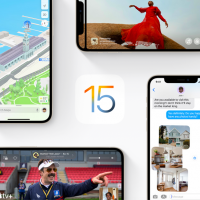
The newest iOS has just been released, iOS 15. According to our WCM mobile device policy, tagged devices used to access WCM resources must run one of the three most recent generations of an operating system, which means iOS 15, 14, or 13 as of this new release.
(For more information see section 3.04 Device Operating System in Devices: Mobile Policy)
September 16, 2021
Need to share sensitive data over email? Consider using our #encrypt feature to protect the contents of your message!
Learn more about encrypted email on the ITS website, and visit our TipUp site to view our past episodes!
What happens to my CrashPlan account if I leave WCM?
Upon leaving the institution, CrashPlan users have a 30-day data retention period. We highly recommend finding another data backup solution during this period to ensure your information is protected.